Maestro user manual
Agents don't need a manager. They need a maestro!
Maestro is a desktop AI studio for designing, running, and supervising systems made from models, agents, tools, approvals, and reusable workflows. The same installation also includes persistent chat, memory, skills, multi-agent rooms, automations, messaging channels, secure execution backends, dataset generation, and an optional background service with a remote operational console.
This manual describes Maestro Studio 1.5. Screens use a demonstration project and sample activity, so names, costs, and run counts may differ from your workspace.
Choose your path
| If you want to… | Start here |
|---|---|
| Install Maestro, learn the layout, and create your first project | Getting started |
| Add models, set routing, build workflows, run them, and improve quality | Workflows, models, and runs |
| Use chat, rooms, memory, skills, automations, voice, and messaging channels | Agent studio |
| Work with files, terminals, backends, web tools, MCP, and training data | Workspace, integrations, and data |
| Manage profiles, security, the service, remote access, backups, and updates | Administration and operations |
| Look up shortcuts, data types, platform support, troubleshooting, or terms | Reference |
How Maestro fits together
The desktop IDE is the authoring and supervision surface. A project contains human-readable workflow, routing, model-reference, and preset files that can be versioned with Git. Runs produce a persistent event history with prompts, responses, tool calls, approvals, routing decisions, scores, artifacts, time, and cost.
The Maestro service is the always-available operational layer. It keeps schedules, messaging channels, rooms, the web console, and headless runs active after the desktop window closes. The service and desktop share the same identity, policy, and event model.
The remote console is intentionally operational. It can expose chat, rooms, runs, memory, jobs, files, terminals, gateways, MCP tools, skill review, analytics, and administration, but workflow and model authoring stay in the desktop app.
Three-minute visual tours
Authoring and routing
Open the authoring and routing video
Agent studio
Data and operations
Open the data and operations video
Product areas at a glance
| Area | What it is for |
|---|---|
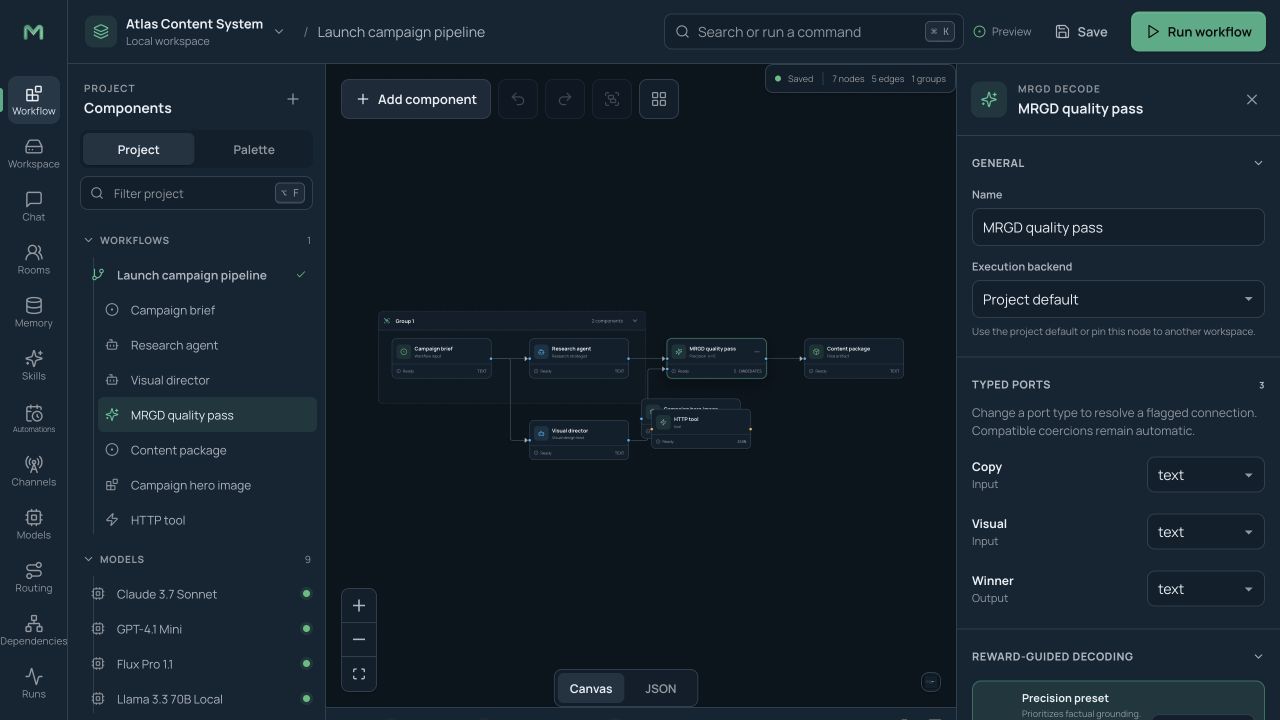
| Workflow | Drag-and-drop orchestration with typed connections, conditions, loops, approvals, tools, sub-workflows, and MRGD quality control. |
| Workspace | Project files, backend files, multi-session terminals, execution backends, and coding-agent runners. |
| Chat | Persistent one-to-one agent conversations with model switching, file attachments, tool traces, interrupt-and-redirect, and voice. |
| Rooms | Persistent conversations where several independently configured agents collaborate under a routing policy. |
| Memory | Inspectable durable facts and preferences, scoped globally or by project, agent, and profile. |
| Skills | Open SKILL.md capabilities, a bundled library, agent-drafted skills, human review, versions, and rollback. |
| Automations | One-time or recurring jobs, natural-language schedules, task queues, delivery targets, and headless execution. |
| Channels | Telegram, Discord, Slack, Matrix, and authenticated generic bridges with pairing and permissions. |
| Models and routing | Unlimited provider models, health and cost metadata, task-based primary routes, conditions, and fallbacks. |
| Dependencies | Impact analysis across workflows, nodes, models, providers, agents, and skills. |
| Runs and dashboard | Live activity, replay, approvals, costs, timelines, quality scores, alerts, and performance health. |
| Data lab | Resumable CSV/JSONL batches, trajectory curation, compression, ShareGPT/raw export, and optional RL streaming. |
| Settings | Appearance, execution, web tools, MCP, accounts, security, shortcuts, notifications, performance, nearby services, data, and software updates. |
Safety model
Maestro is local and private by default. Credentials live in the operating system credential store or encrypted vault, analytics are off unless enabled, remote access binds to the local computer, and powerful tools start behind sandbox and approval rules. The desktop never installs an update silently: it checks the selected release channel, verifies the signature, and waits for you to choose Install and restart.
Documentation conventions
- Choose identifies a screen or control.
- Paths such as Settings → Security show where to find a control.
- “Project” means the portable authoring workspace. “Profile” means an isolated operational space for sessions, rooms, jobs, memory, tools, and budgets.
- Features that contact models, search engines, messaging platforms, cloud backends, or external trainers may send data outside your computer. Maestro shows policy and boundary information before those actions.